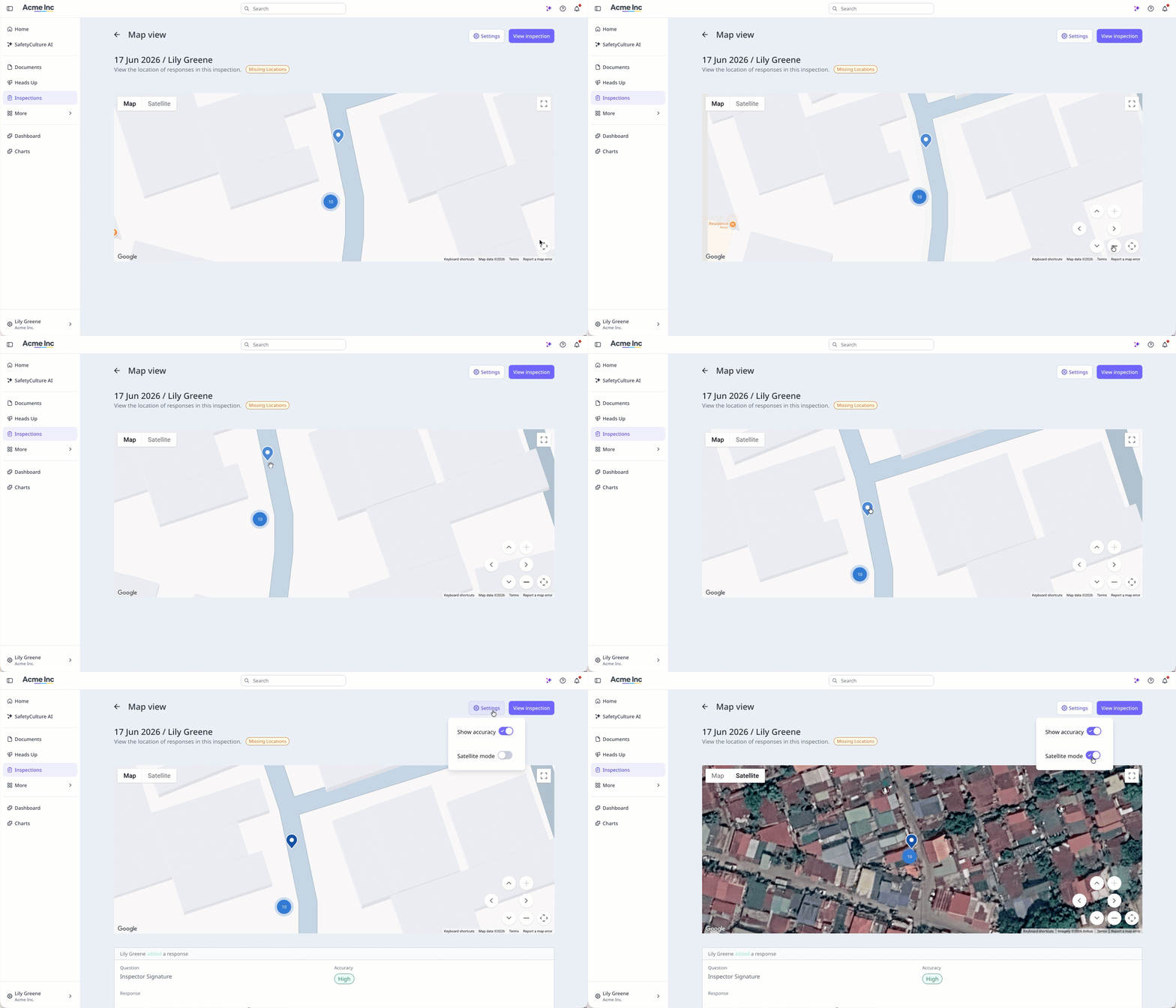
What does it mean to view inspection response locations on a map?
Viewing inspection response locations on a map shows where each response was logged during an inspection, giving you a visual record of where your team completed their work. Each location is captured via the mobile app when location access is turned on for the device, and the map displays the accuracy of each recorded location. If the device can't capture location data, the map view won't be available for that inspection. This helps teams that need to confirm inspections were carried out in the right location, particularly when work is spread across multiple sites.
What you'll need
If inspection map view is turned on for your organization, you can also view the Response locations setting in Template settings in the template editor. The setting applies to all templates in the organization.
Turn inspection map view on or off
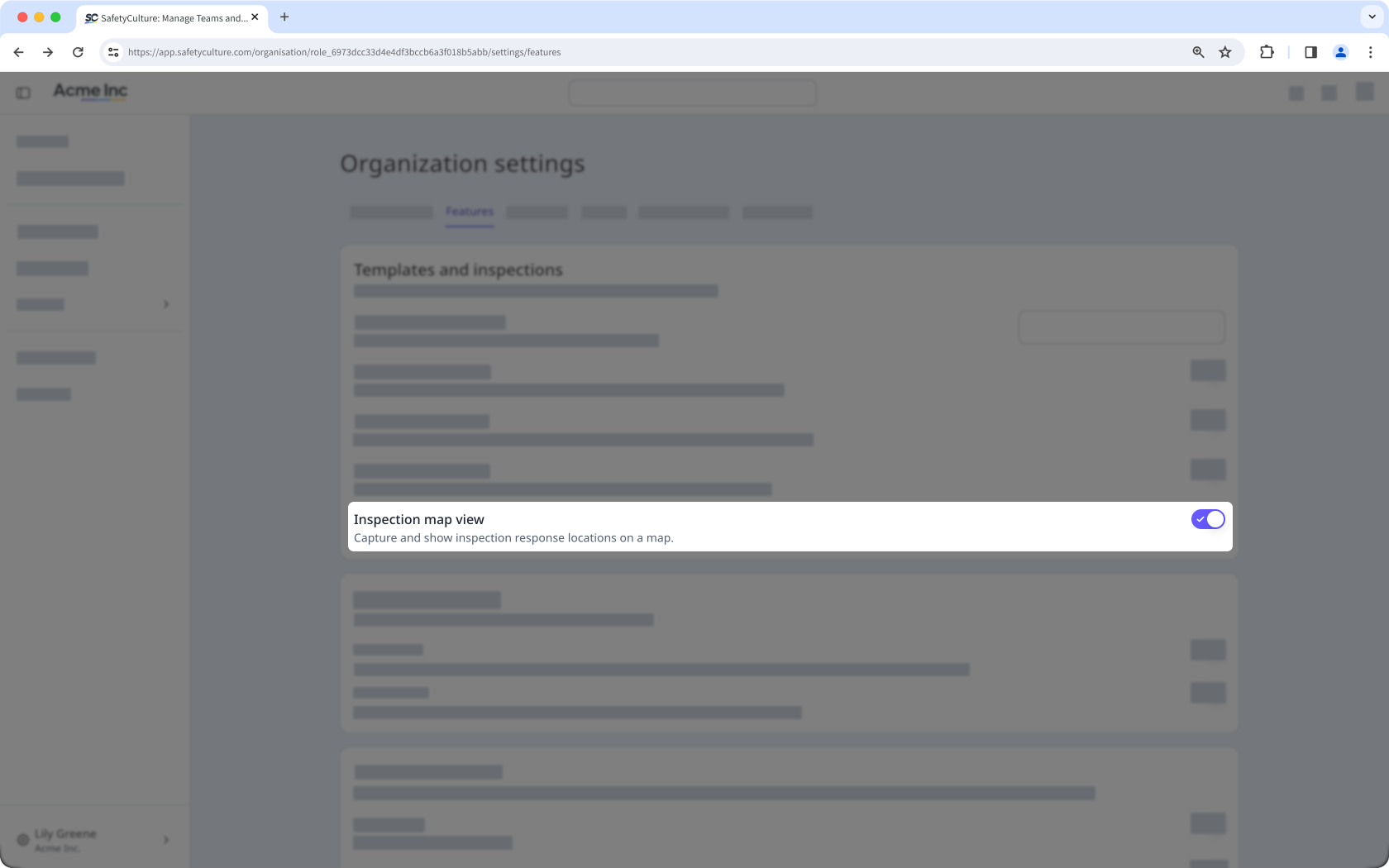
Click your organization name on the lower-left corner of the page and select Organization settings.
Select Features at the top of the page.
In the "Templates and inspections" section, turn "Inspection map view" on or off.