What you'll need
Import lesson slides
Select Training in the sidebar or select it in More.
If you're on the "Learn" page, click Content at the top of the page and select Courses.
Create a new course or click View or Edit on an existing one.
If you're editing a published course, click Edit on the upper-right of the page.
Create a new lesson or click an existing one. If you need some help to get started, use AI to create a lesson or lesson slide.
Click New slide on the lower part of your selected lesson.
Click Import slide under "More" on the bottom left-hand side.
Select the relevant course, lesson, and range of slides you would like to import.
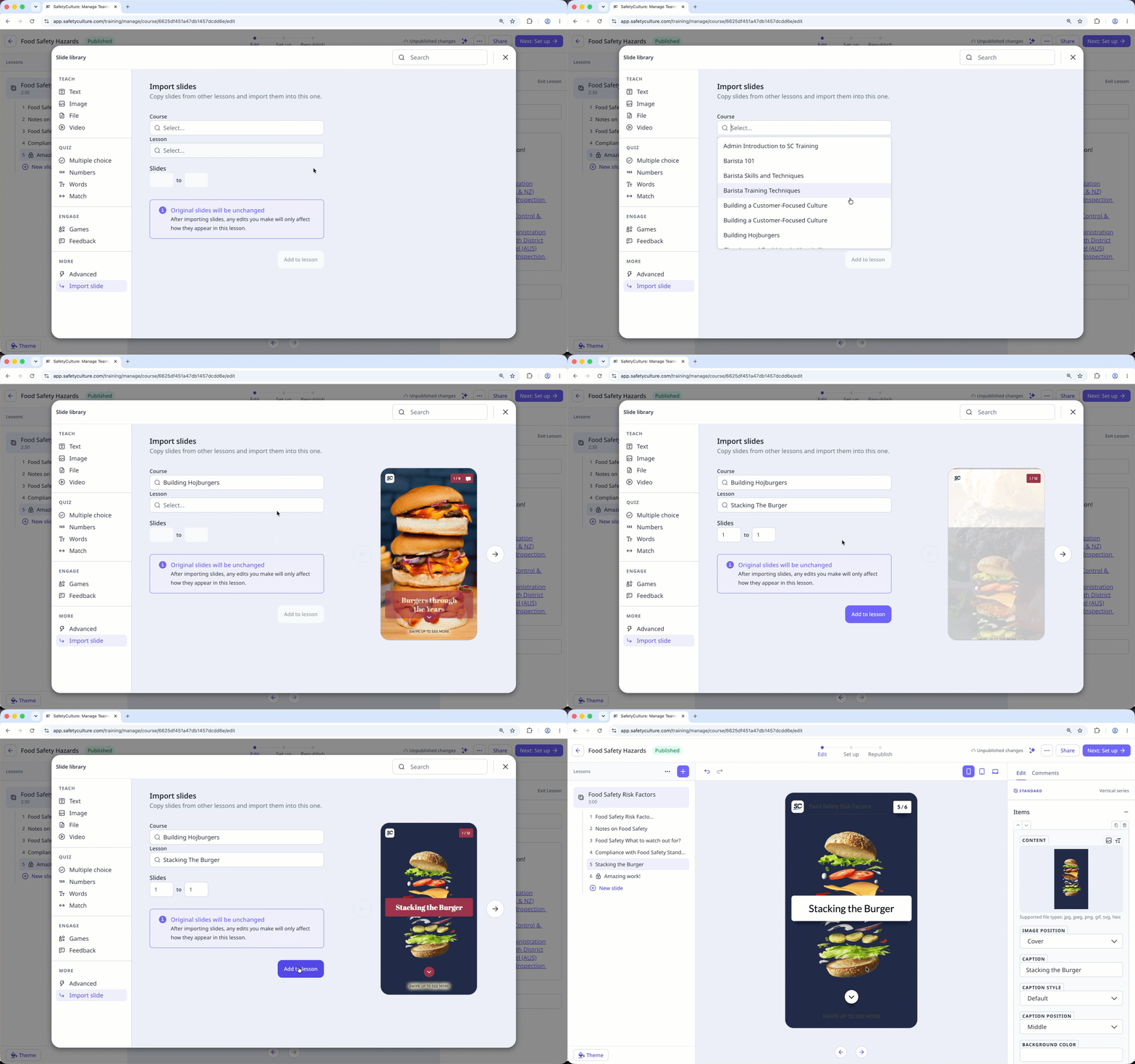
Click Add to lesson, and these slides will appear in the lesson.