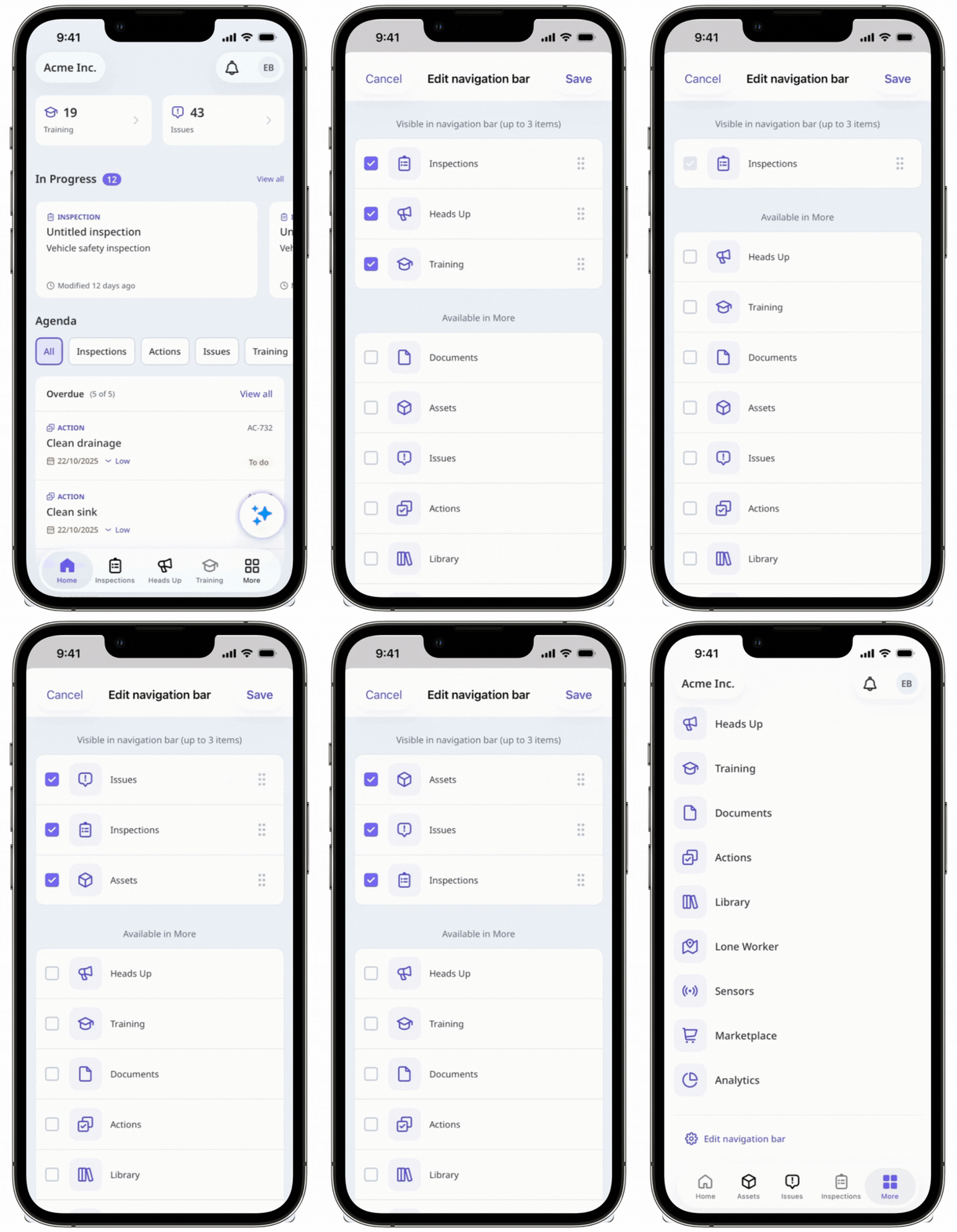
Why customize my navigation?
Customizing your navigation helps you build a workspace tailored to how you work. By choosing which features appear in your web sidebar or mobile navigation bar, you can highlight what you use most, reduce clutter, and keep your daily workflow running smoothly. It’s a simple way to organize your tools around your role and priorities, making it easier to stay focused and get things done.
What you'll need
Customize my navigation settings
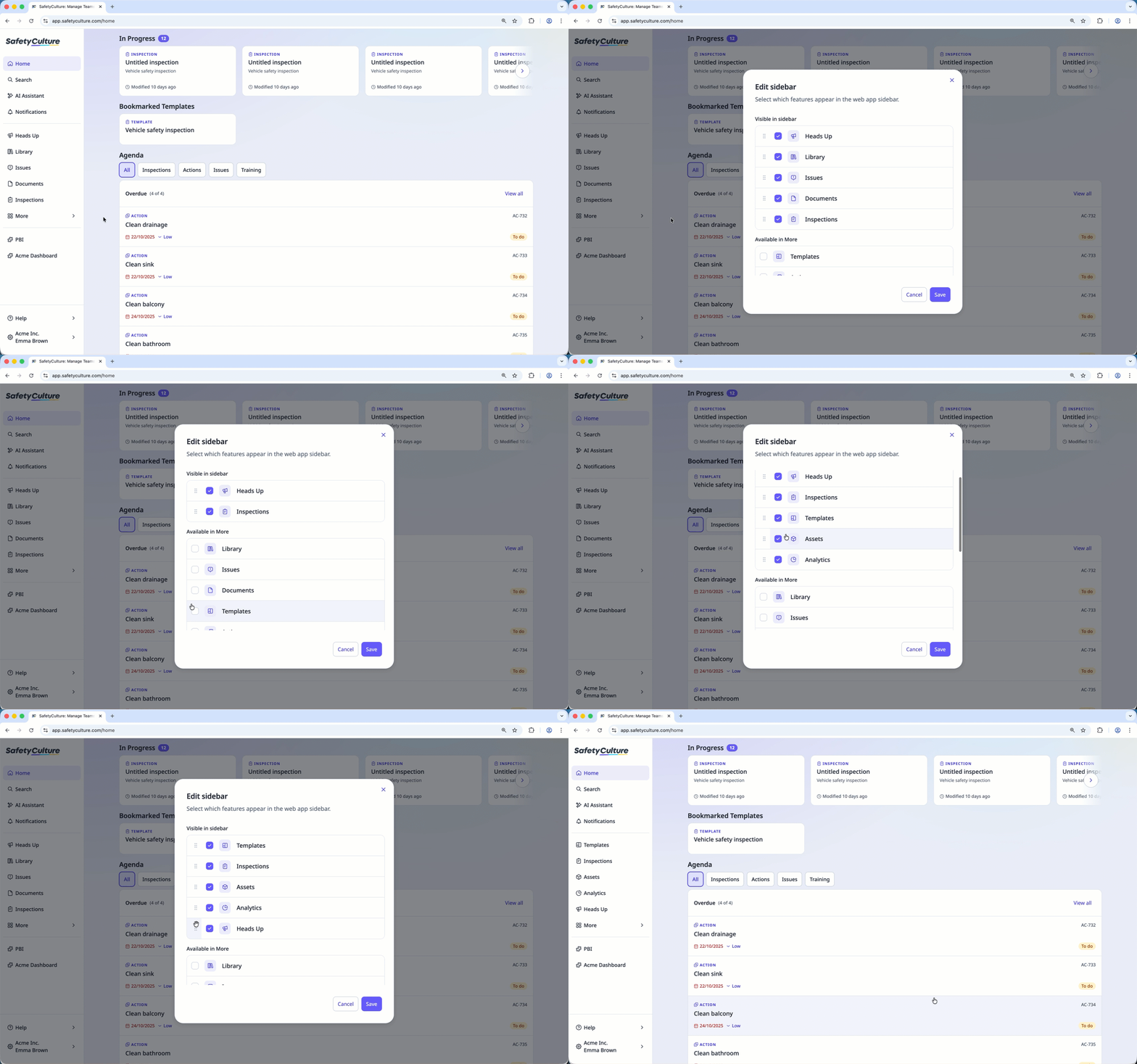
Click More from the sidebar.
Click Edit sidebar.
Check the features you want to display on the web app’s sidebar and uncheck those you’d like to keep under More.
Click and hold
 on the left-hand side of the features to reorder them.
Click Save.