Download investigations as CSV or Excel
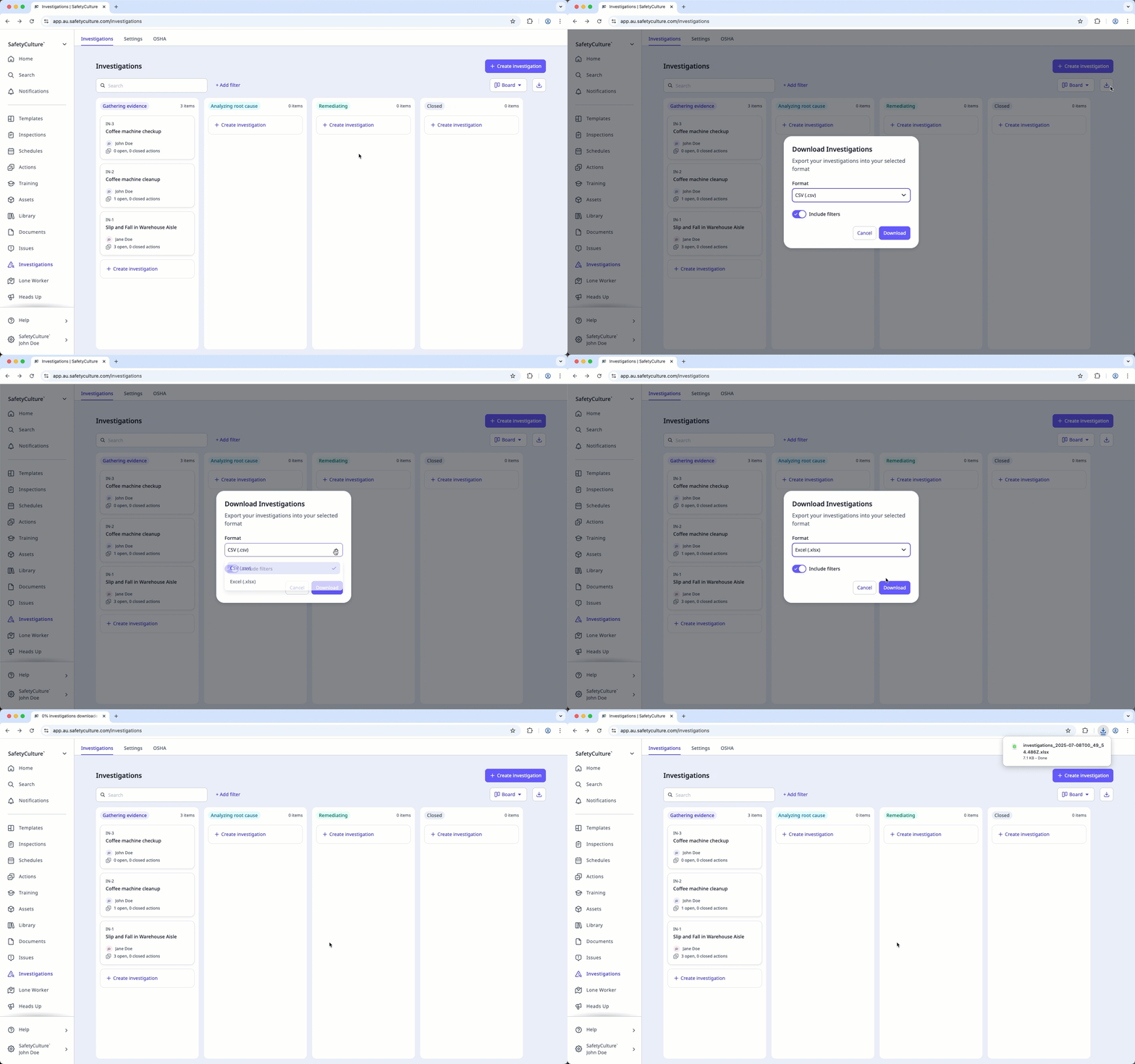
Select Investigations in the sidebar or select it in More.
Filter the investigations list to show only the investigations you want to download.
Click on the right-hand side of the page.
In the pop-up window, select CSV (.csv) or Excel (.xlsx). Turn Include filters on to download only the investigations that match your selected filters.
Click Download.
CSV or Excel column headers
Column header | Description |
|---|---|
ID | A unique identifier automatically created for each investigation. It helps identify and track the investigation, especially when using integrations or working with exported data. |
Unique ID | The unique identifier of an investigation in your own system. |
Status | The status of an investigation. |
Title | The title of an investigation. |
Description | The description of an investigation. |
Created date | The date and time an investigation was created. This follows your device's time zone. |
Modified date | The date and time an investigation was last modified. This follows your device's time zone. |