The preventative asset maintenance feature is currently in Early Access. If you're interested, go to the web app, select Assets from the menu on the left-hand side. Select Maintenance from the tab at top of the page and click Get Early Access.
Is Maintenance not in your menu? Reach out to your Customer Success Manager to express your interest.
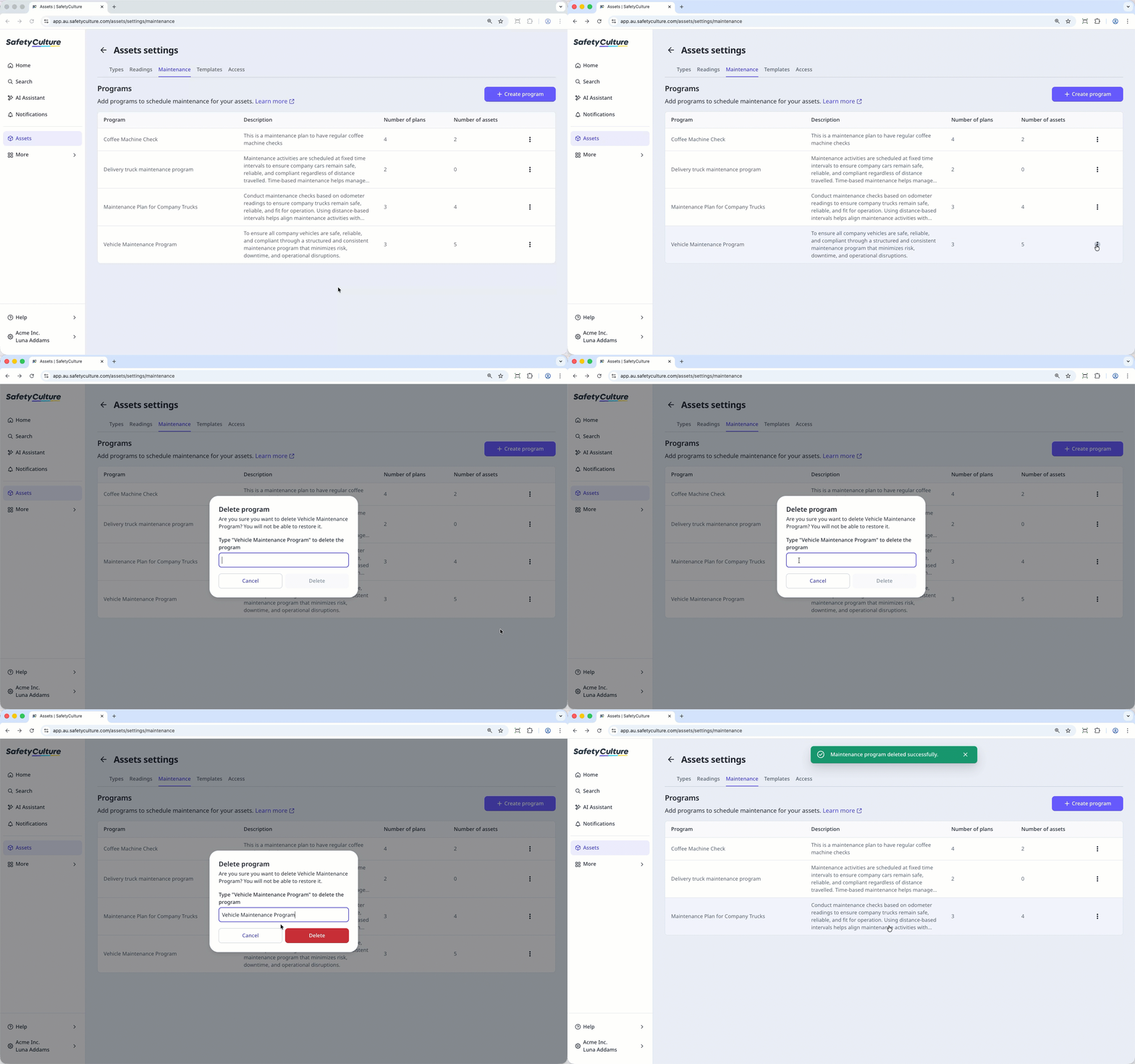
Delete an asset maintenance program
Select Assets in the sidebar or select it in More.
Click Maintenance tab at the top of the page.
On the upper-right of the page, click Edit programs.
Click on the right-hand side of the maintenance program.
Select Delete.
In the pop-up window, enter the name of the program, and click Delete.