View live lone-work jobs
Select Lone Worker in the sidebar or select it in More.
Click Live map at the top of the page.
Each active job can be viewed on the live map. Click the job on the side panel to see the full details. If you want to view a job's full timeline of location updates, click View journey.
You can also view active jobs in the Lone Worker dashboard.
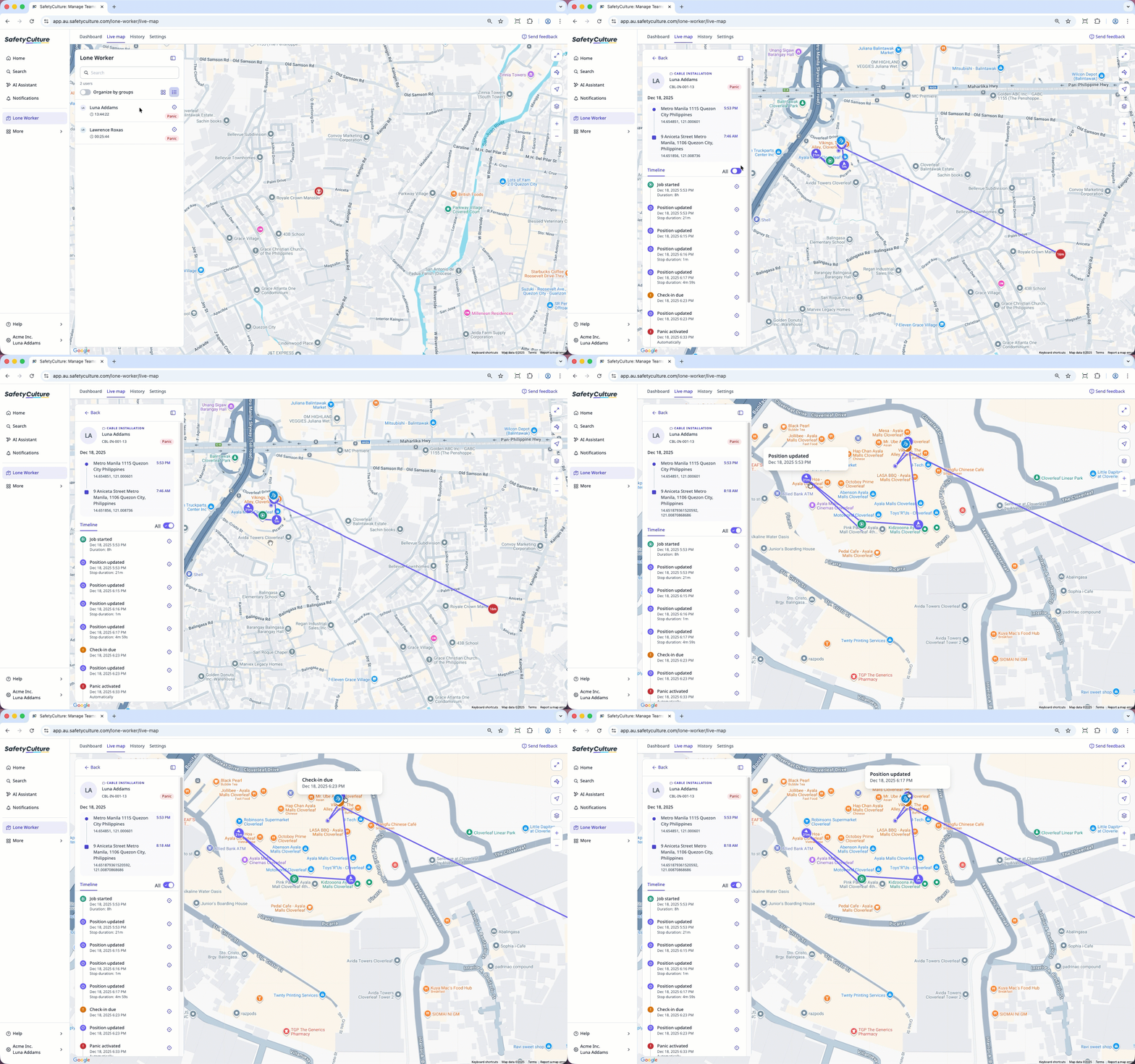
If multiple jobs are happening at the same time, you can turn Organize by groups on to group jobs together for easy viewing.
View historical lone-work jobs
Select Lone Worker in the sidebar or select it in More.
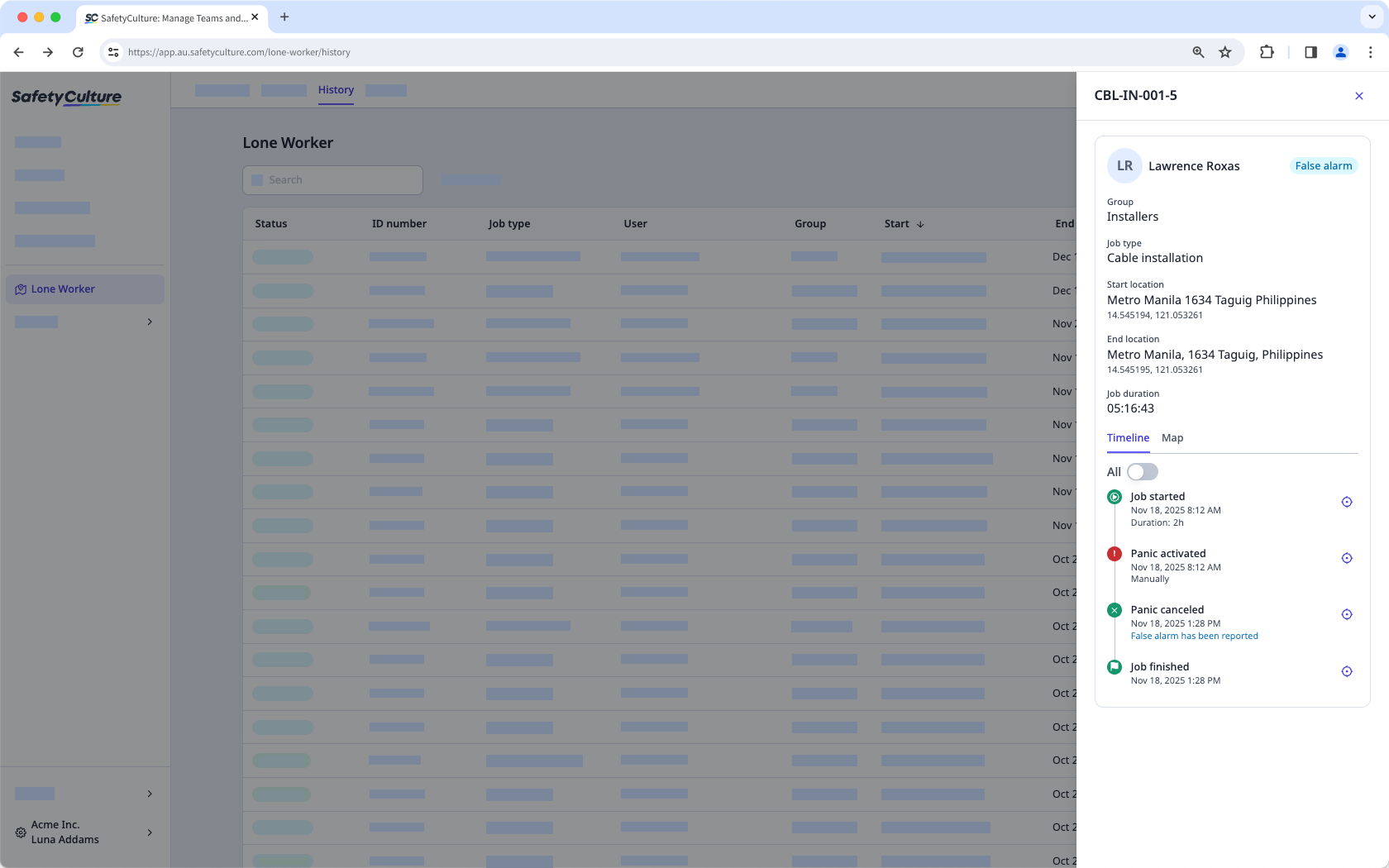
Select History at the top of the page.
Click on the job to view the full details in the side panel. You can also select the Map tab to view a job's full journey.