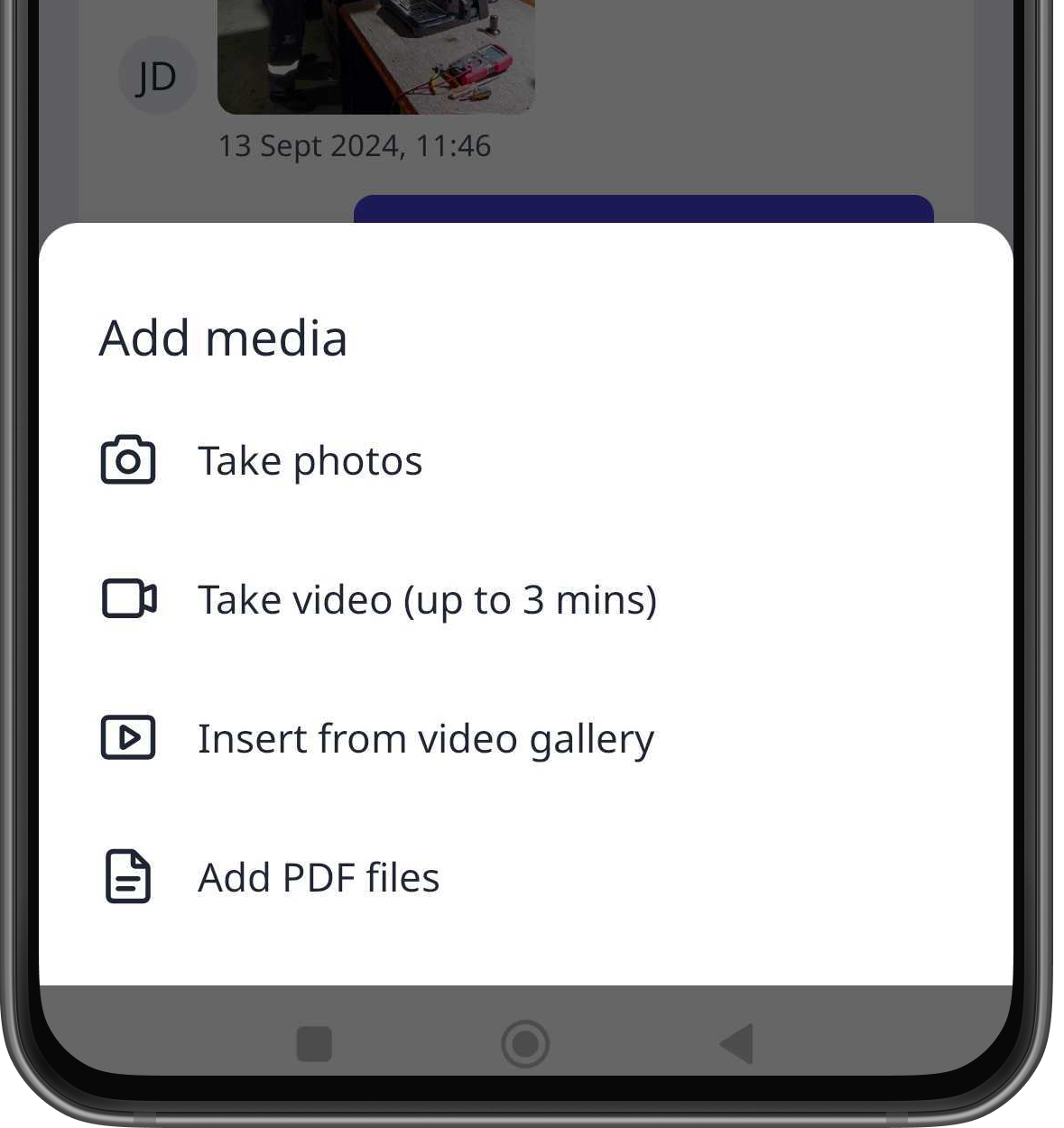
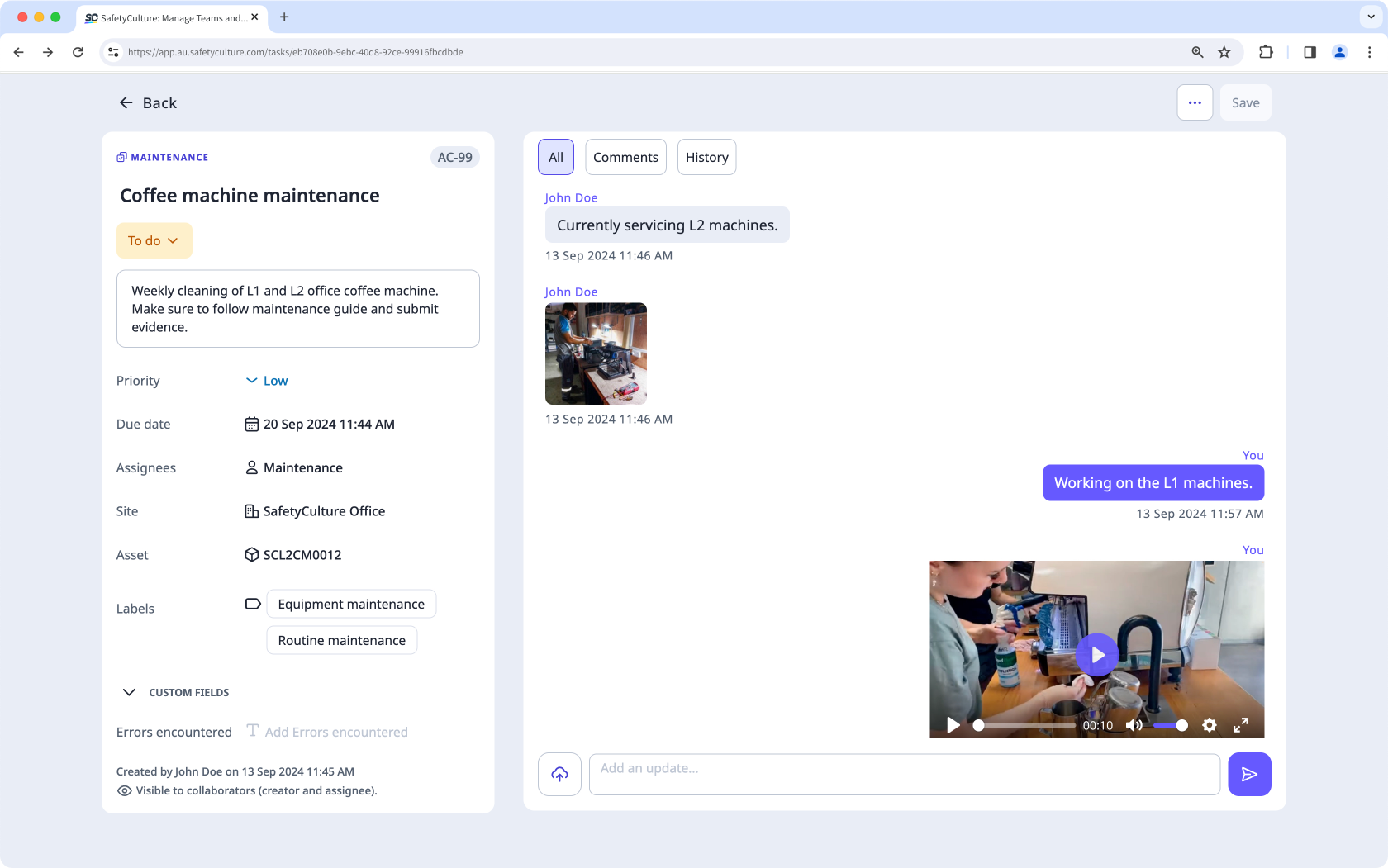
Why add images, videos, and documents to actions?
Adding images, videos, and documents to actions allows teams to provide specific details and additional contexts to their actions that texts alone may not capture. These attachments can act as evidence, support accurate record-keeping, and help track the progress of your team's actions.
What you'll need
You can upload the following supported file types: GIF, JPEG (JPG), PNG, and WEBP files up to 10MB, MP4, and MOV files up to 1.5GB or 3 minutes long, and PDF files up to 20 MB.
Attach an image, video, or document to an action
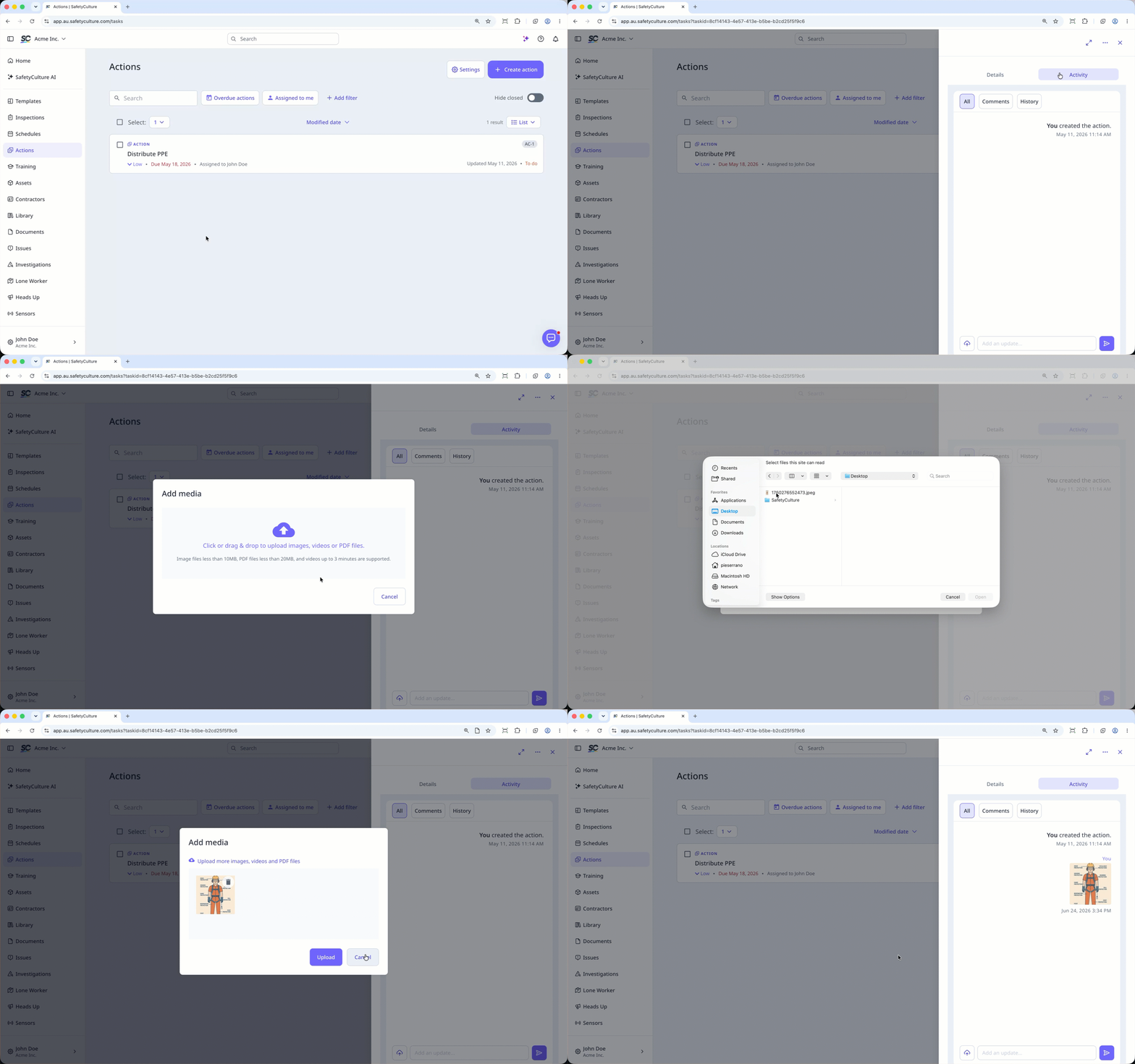
Select Actions in the sidebar or select it in More.
In the side panel, click Activity at the top. You can also expand the side panel by clicking on the upper-right of page.
Click on the lower-left of the page.
Drag and drop your file to the pop-up window or click to select your files.
Click Upload.