SafetyCulture
  1. Home
  2. Using SafetyCulture
  3. Templates
  4. Delete template collections

Templates

Last updated: October 29, 2025

Delete template collections

Learn how to delete template collections from the Shared Library via the web app to keep your workspace organized.

Deleting is irreversible, and we cannot restore permanently deleted items. Confirmation is always required before any deletion, so be sure you're not accidentally deleting the wrong item.

Delete a template collection

  1. Log in to the web app.

  2. Select Templates in the sidebar or select it in

    More
    .

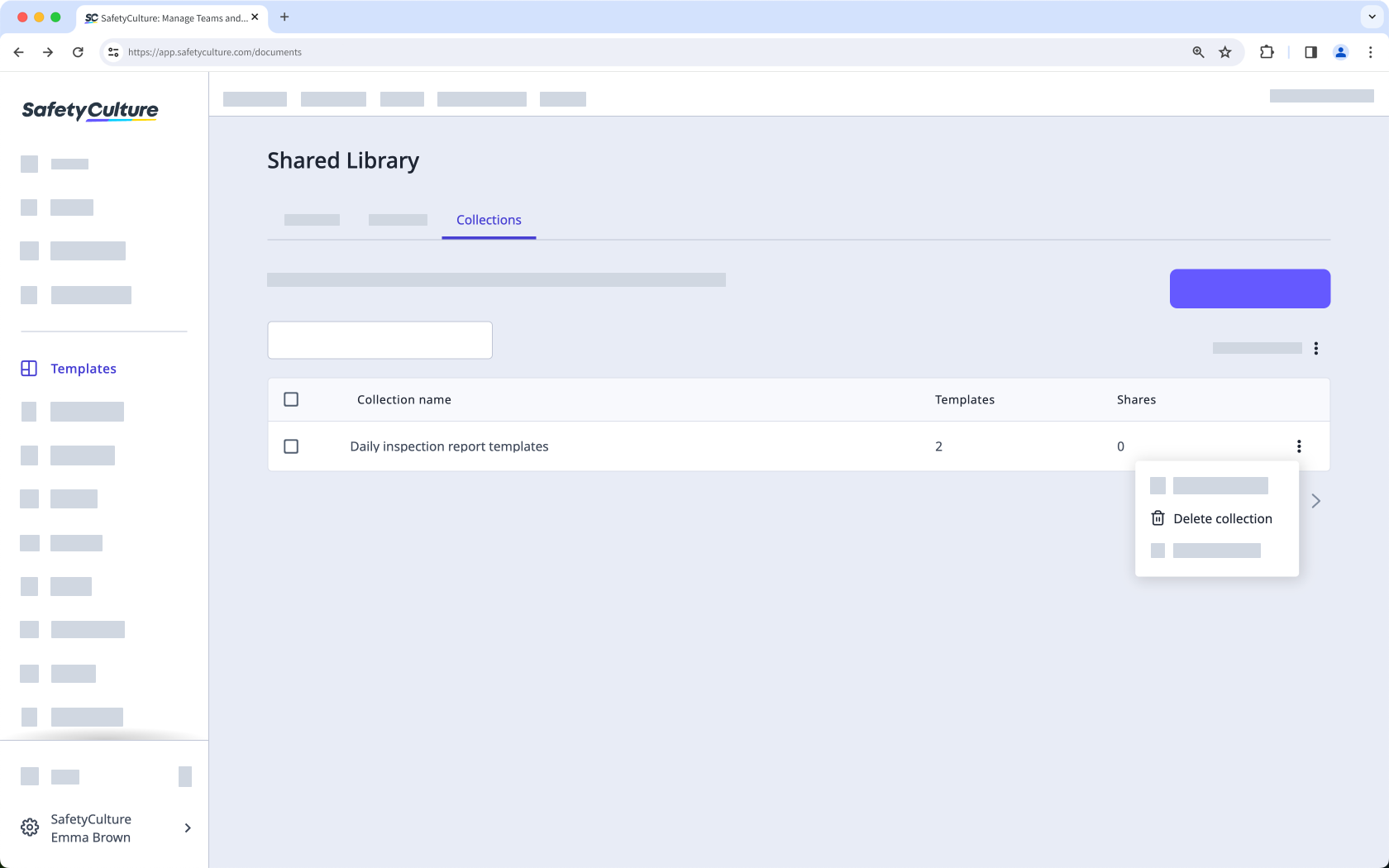
  3. Select Shared Library at the top of the page, and click Collections .

  4. Click

    on the right-hand side of the collection's name and select Delete collection .Delete a Shared Library template collection via the web app.

  5. In the pop-up window, click

    Delete collection
    .

Frequently asked questions

Was this page helpful?

SafetyCulture
App Store
Google Play