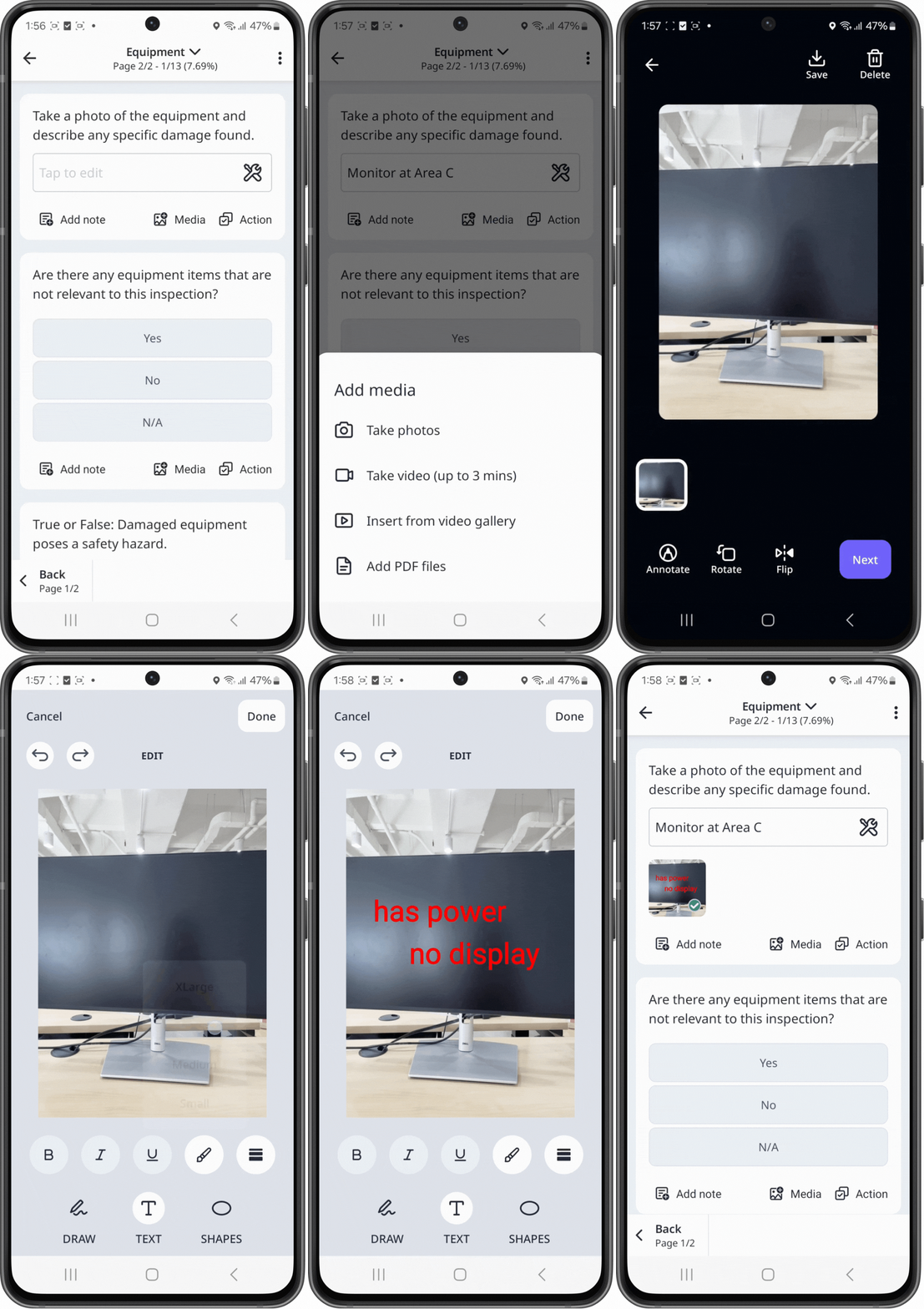
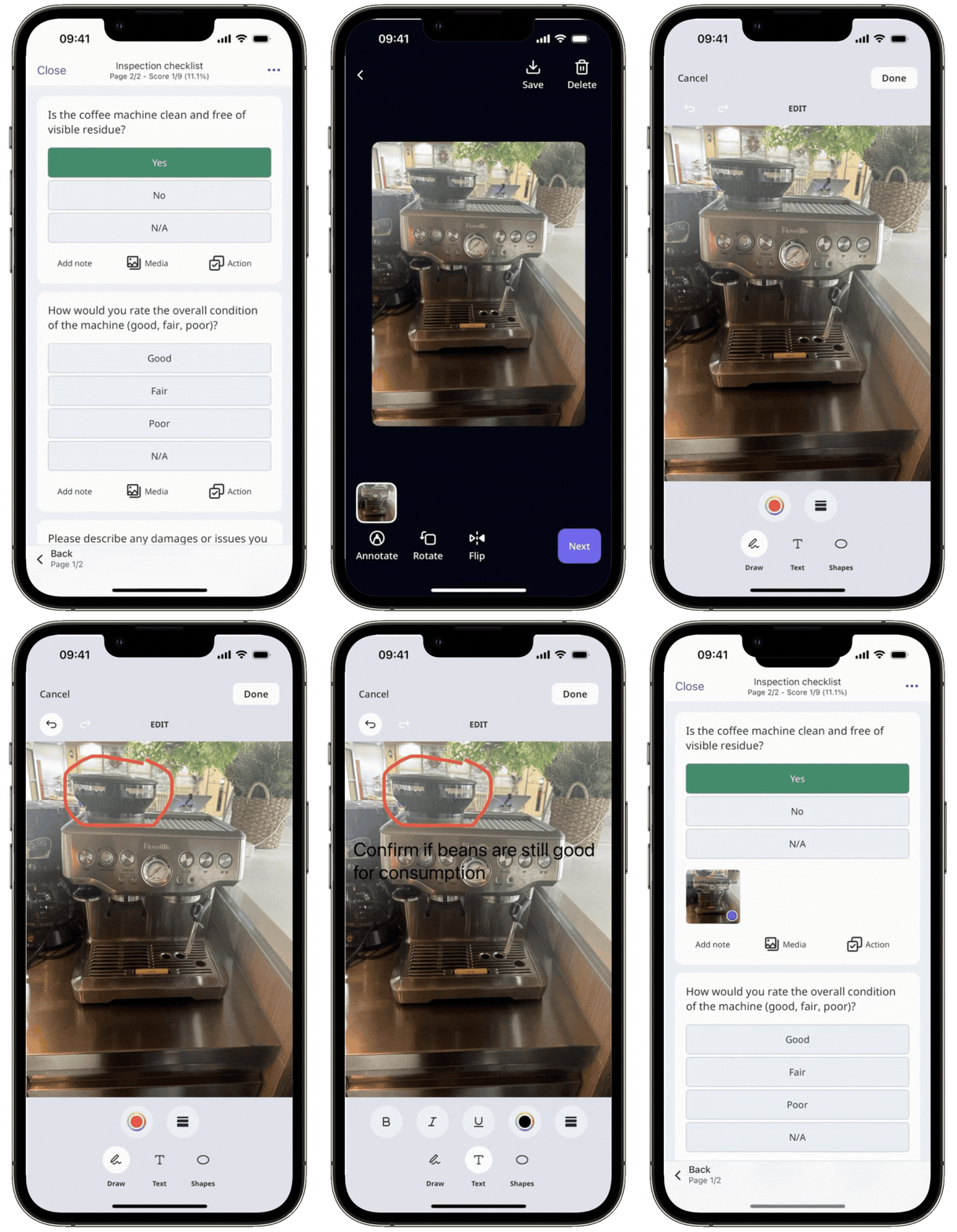
Why annotate images in inspections?
Annotating images in inspections helps team members understand the context behind observations in captured photos and address the issues they're pointing out. This leads to a more efficient inspection process, facilitating accurate reporting and better decision-making. It can also improve safety and compliance across your operations.
What you'll need
You can only annotate images uploaded in questions using the “Annotation” response type on the web app.
Annotate an image
Select Templates in the sidebar or select it in More.
Click Annotate on the question's upper-right.
In the pop-up window, annotate the image accordingly.
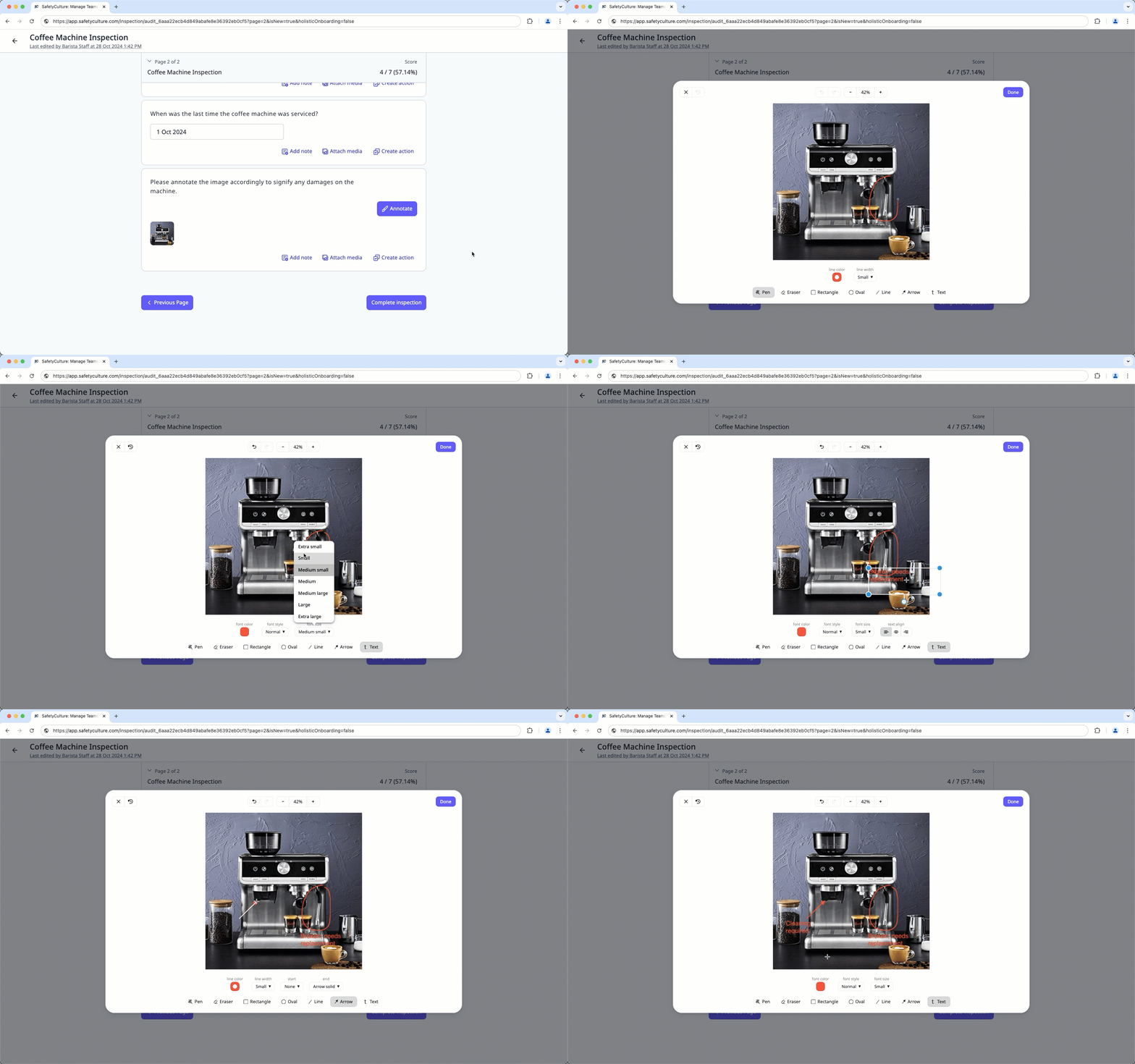
Click Done on the upper-right of the pop-up window.