
What are action links?
Action links are links or URLs that you can create for each action and share with anyone, even if they don't have a SafetyCulture account. As action links offer a real-time view of action activities, stakeholders can stay up-to-date on relevant actions as they're being completed.
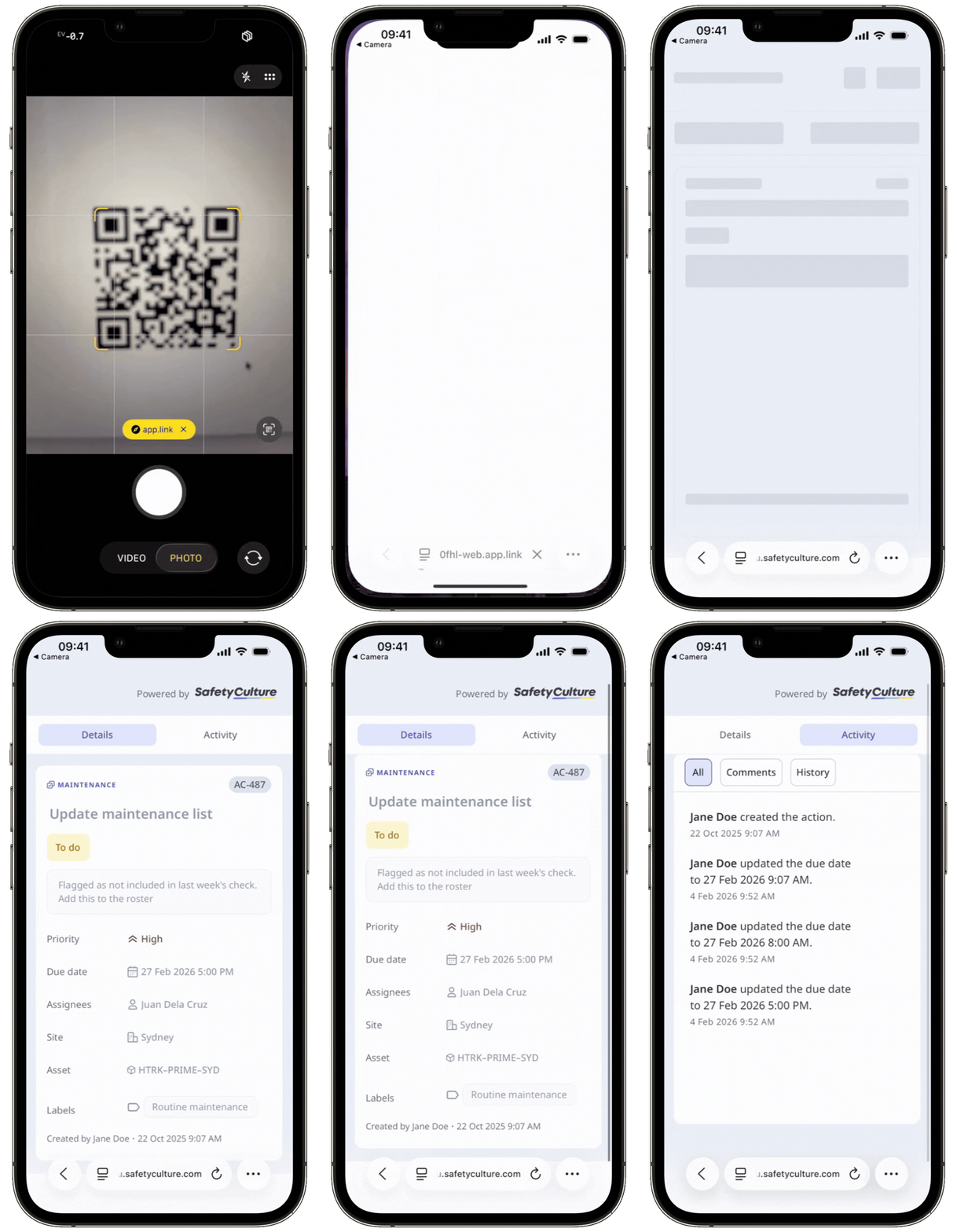
Action links are public, so anyone with an action link will be able to view the action until the link or the action is deleted.
What you'll need
Share an action link
Select Actions in the sidebar or select it in More.
Create an action or click the existing action. You can choose how you want to view your actions by selecting between List, Calendar, and Board on the upper-right of the page.
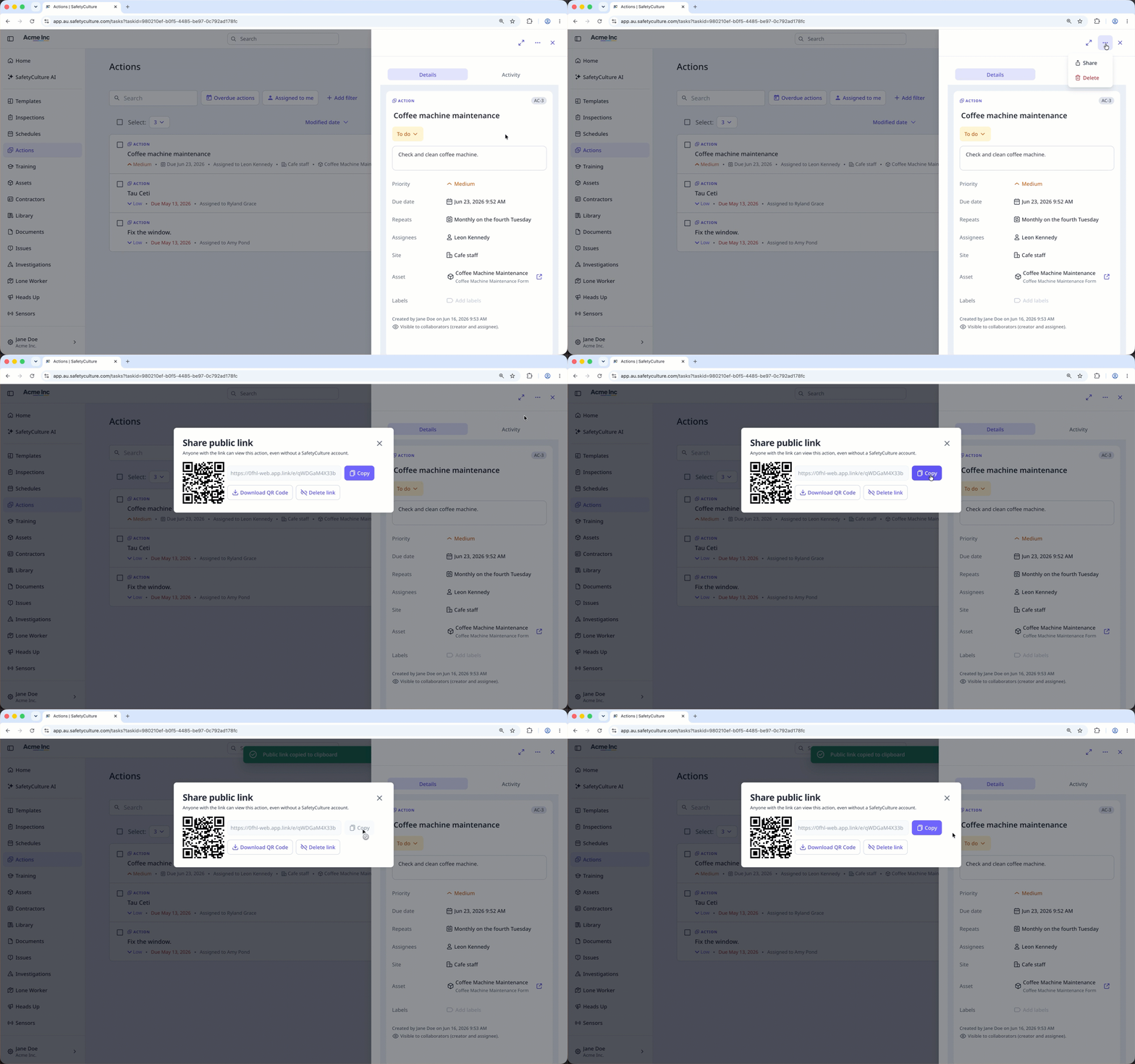
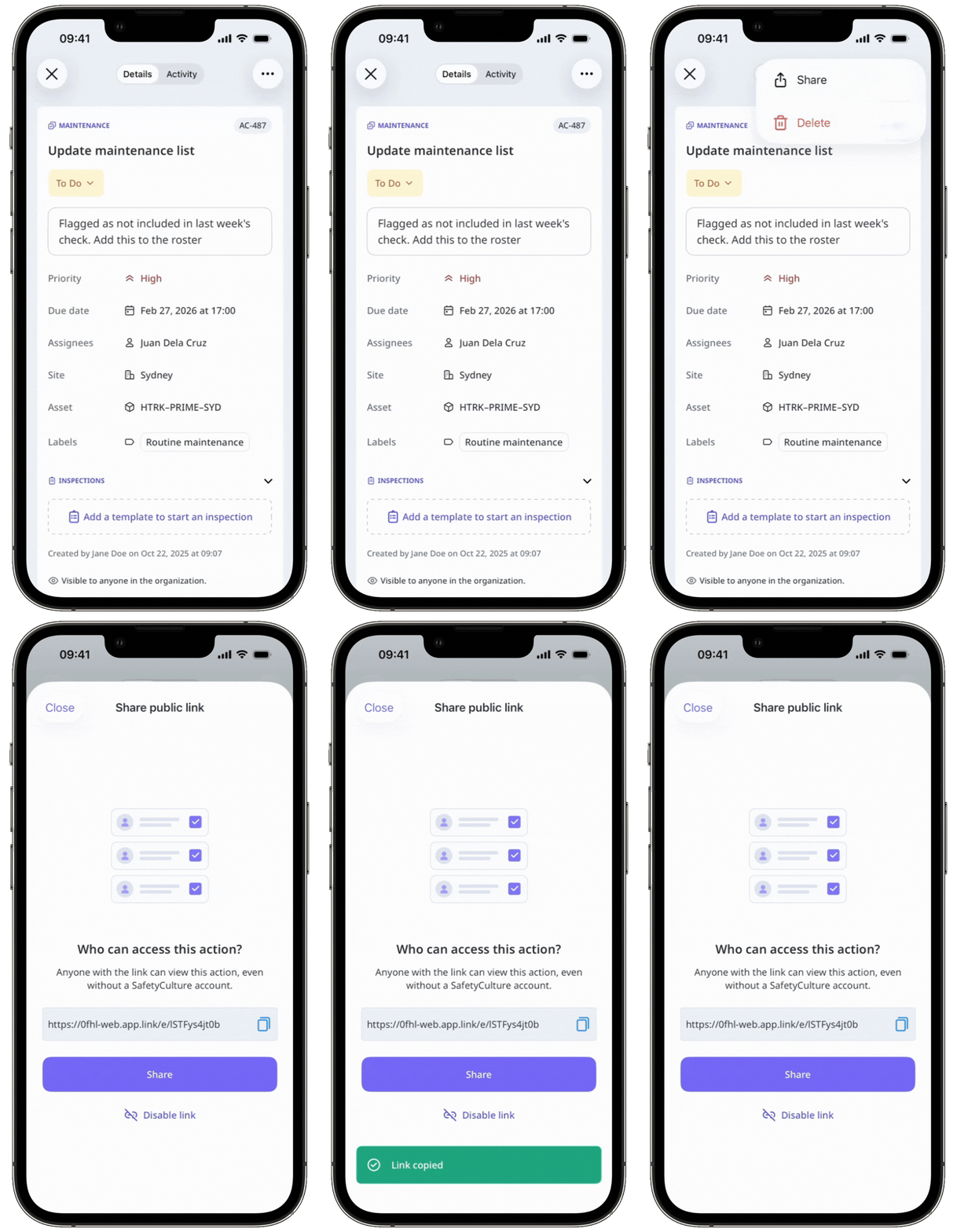
In the side panel, click on the upper-right of the page and select Share.
In the pop-up window, click Copy to copy the link or Download QR code to download a QR code for the action and share it accordingly.
Delete an action link
Select Actions in the sidebar or select it in More.
Click the action. You can choose how you want to view your actions by selecting between List, Calendar, and Board on the upper-right of the page.
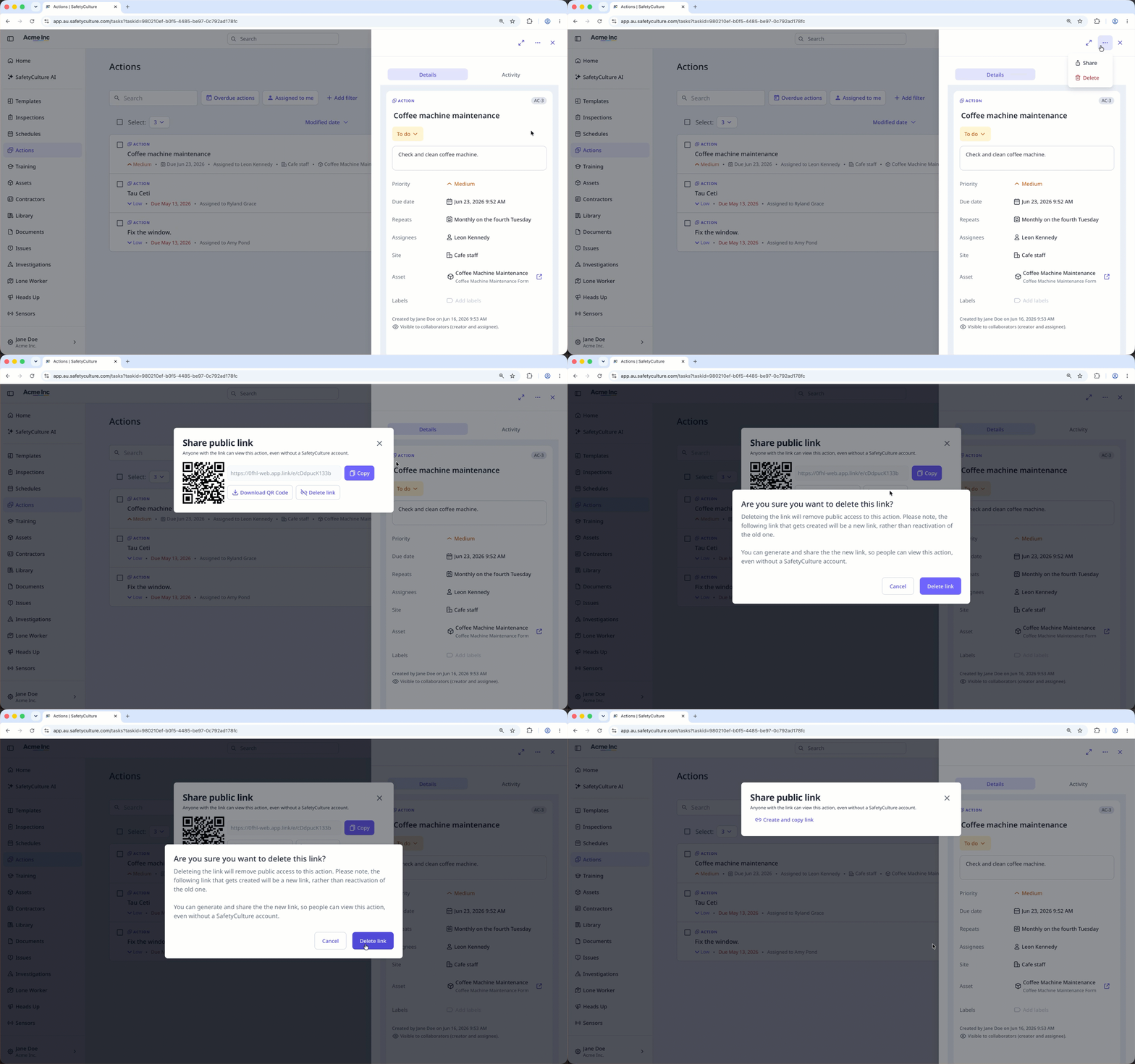
In the side panel, click on the upper-right of the page and select Share.
In the pop-up window, click Delete link.
In the pop-up window, click Delete link to confirm.
 Disable link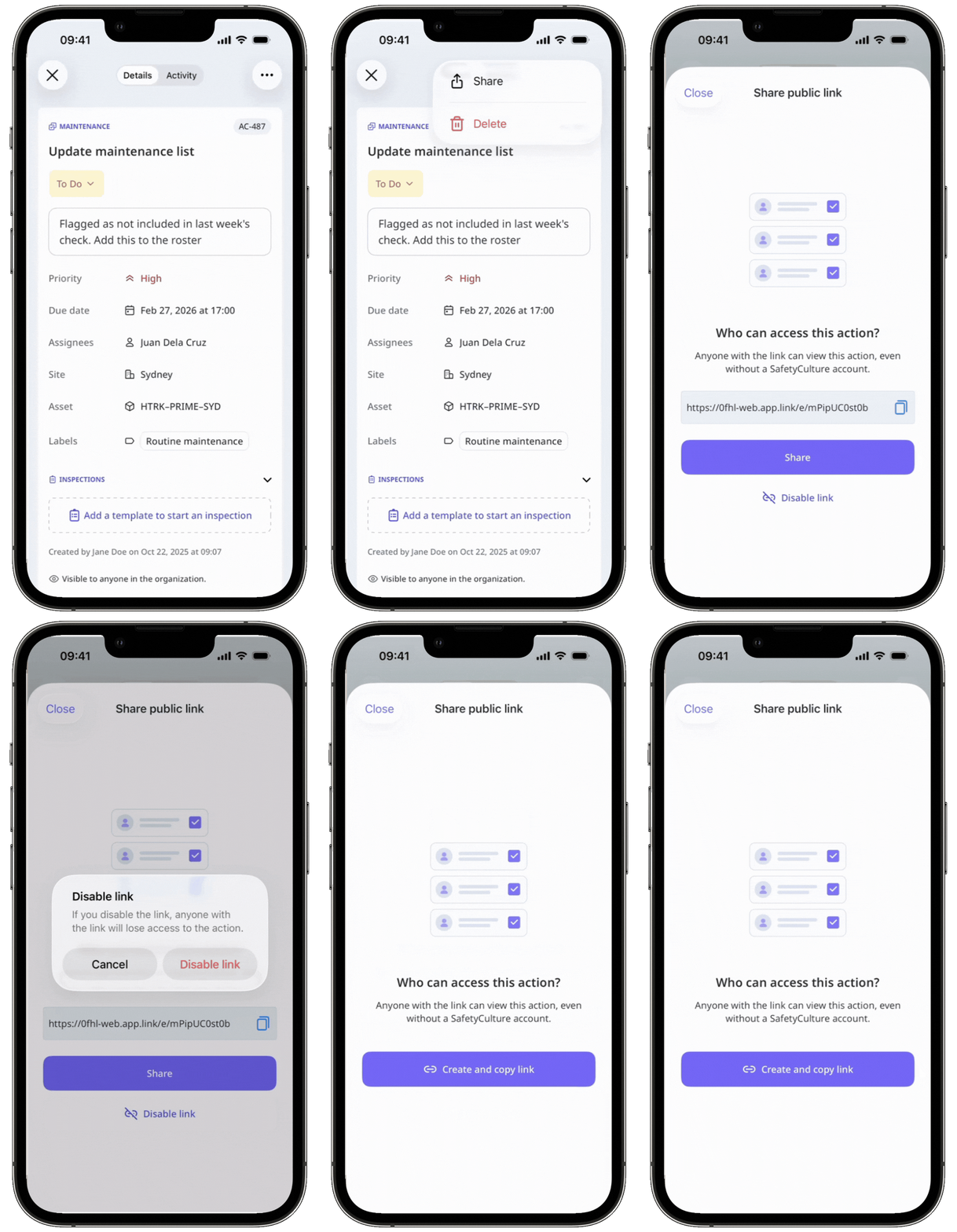
When you delete an action’s public link, you cannot restore it. Any new link you generate will be different, so you will need to share the new link with your stakeholders.


