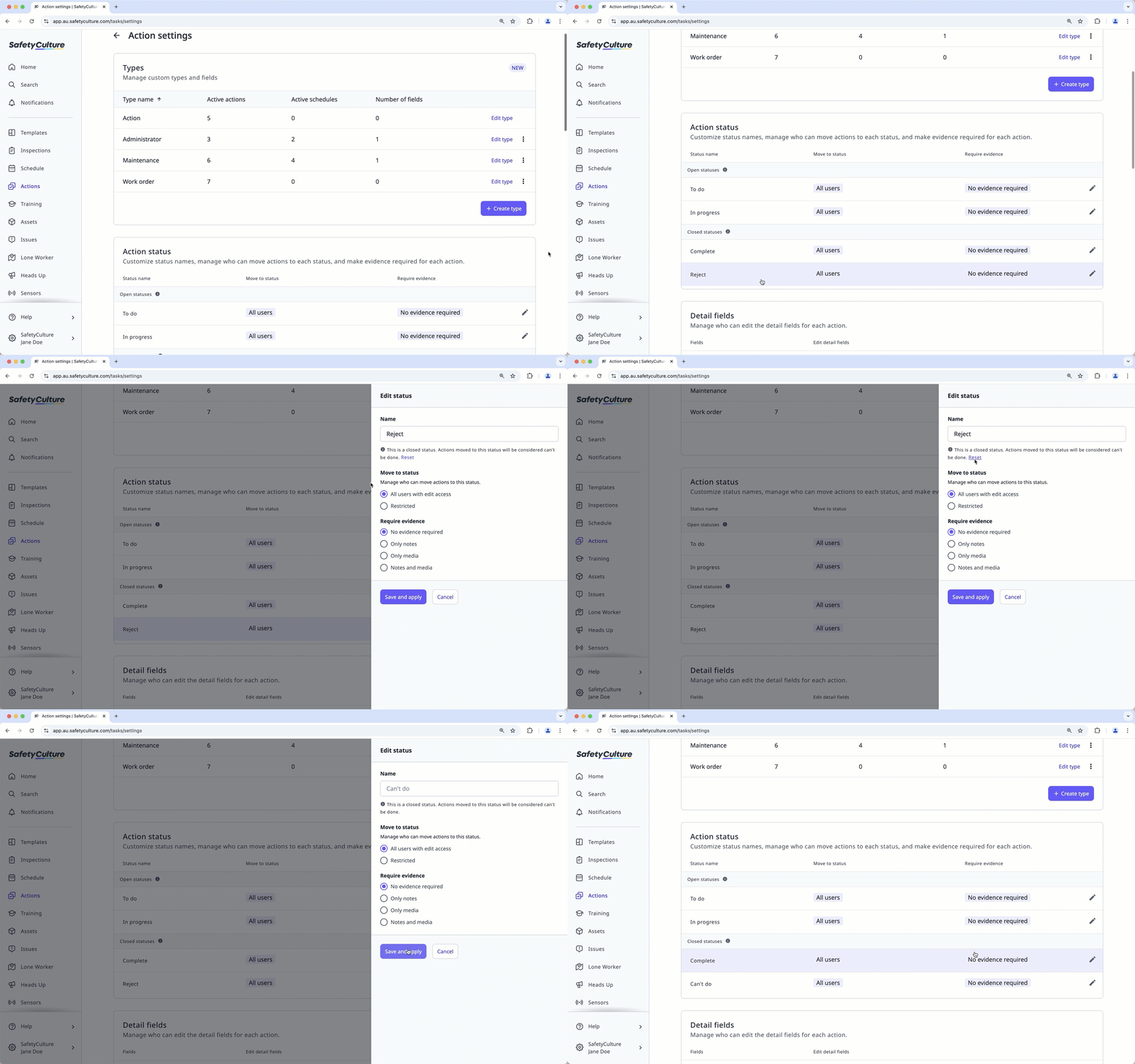
Why customize action status names?
The Actions feature offers a great way to manage tasks in your organization. However, we understand that each business may have its own languages for its task management processes, so rather than using the default "In Progress" or "Complete" as indicators for progress, you can customize the name for each status to something that's relevant to you and your team.
Action status categories
Each action status falls into one of two categories:
Open statuses: An open status indicates that an action is still yet to be worked on or is in progress. By default, this includes the "To Do" and "In Progress" statuses.
Closed statuses: A closed status indicates that an action is done or resolved. By default, this includes the "Complete" and "Can't Do" statuses.
Please note that multi-language support is not available for custom action status names. If you want to revert to using the default name for an action status, you can reset the name to restore multi-language support.
Customize an action status name
Select Actions in the sidebar or select it in More.
Click Settings on the top of the page.
Scroll down to the "Action status" section and click the status.
In the side panel, customize the action status label in the "Name" text field.
Click Save and apply.
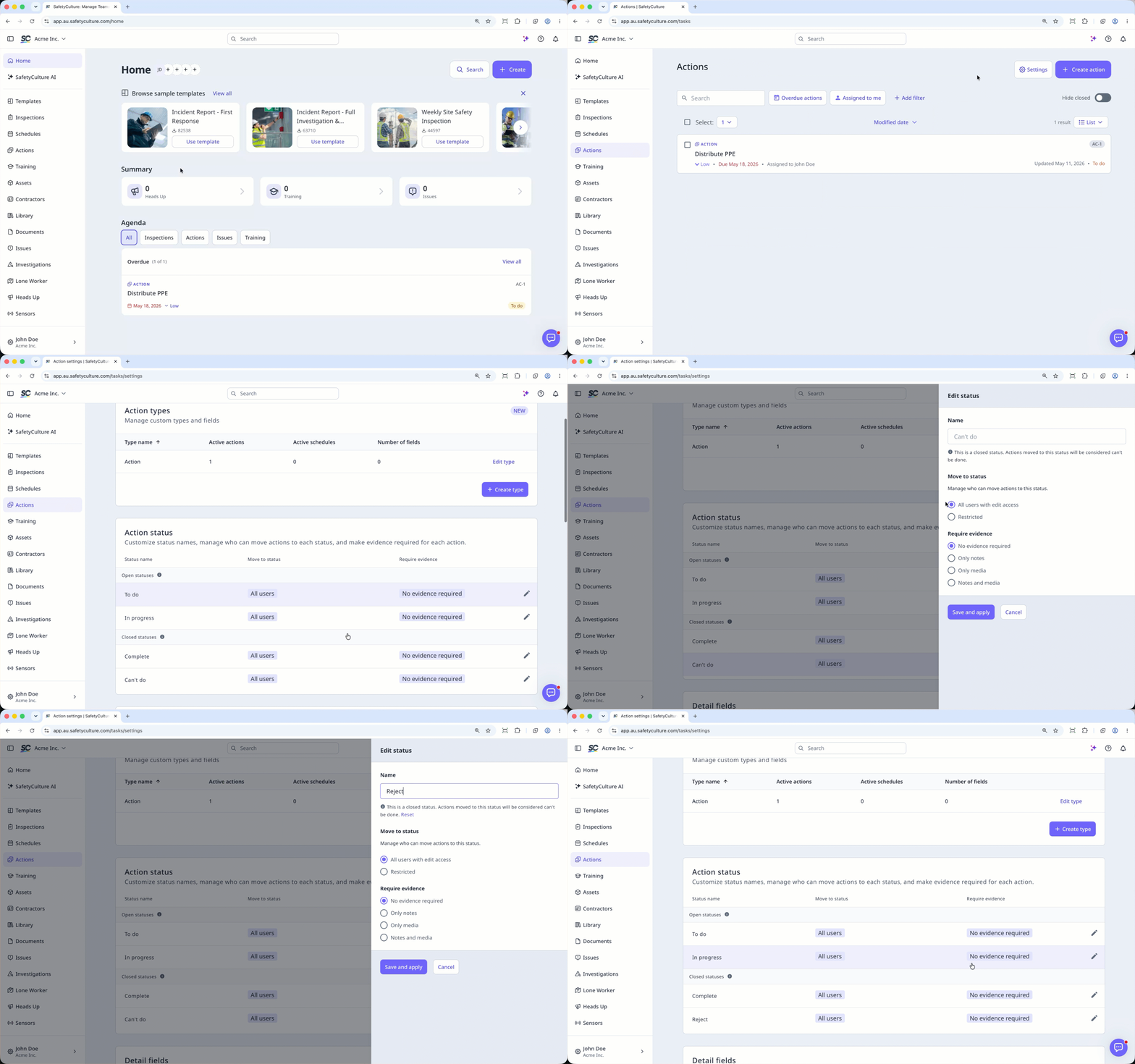
Reset an action status name
Select Actions in the sidebar or select it in More.
Click Settings on the top of the page.
Scroll down to the "Action status" section and click the status.
In the side panel, click Reset under the "Name" text field.
Click Save and apply.