
What does it mean to move sites?
Moving sites helps you keep your site hierarchy accurate as your organization changes. Whether teams shift, projects relocate, or departments restructure, you can move sites to the right levels without starting from scratch. This keeps access, reporting, and responsibilities aligned across your team.
For example, if a site is moving from one area to another, you can place it under the new area level so it's associated data can be managed accordingly.
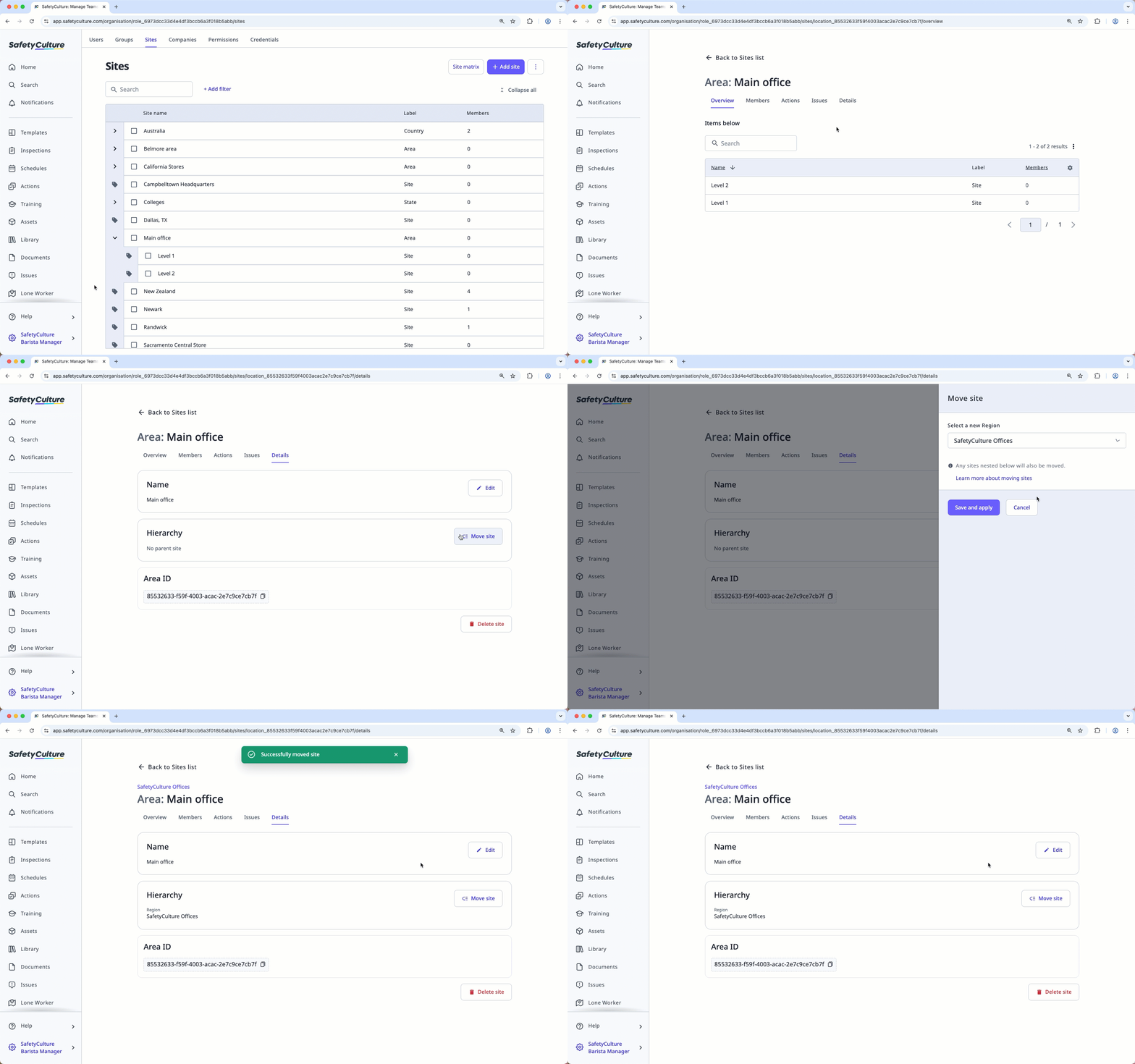
Move a site
Click your organization name on the lower-left corner of the page and select Sites.
Click the name of the site or level.
S elect the Details tab. In the "Hierarchy" section, click
 Move site.
In the side panel, click the dropdown menu and select the new level.
Click Save and apply.
You can also move sites of the same level in bulk via the Sites list.


