Deleting is irreversible, and we cannot restore permanently deleted items. Confirmation is always required before any deletion, so be sure you're not accidentally deleting the wrong item.
Deleting a group will also remove template and inspection access provided to it.
Delete a group
Click your organization name on the lower-left corner of the page and select Groups.
Check the box on the left-hand side of the group and select Delete on the lower-right of the page.
In the pop-up window, click Delete group.
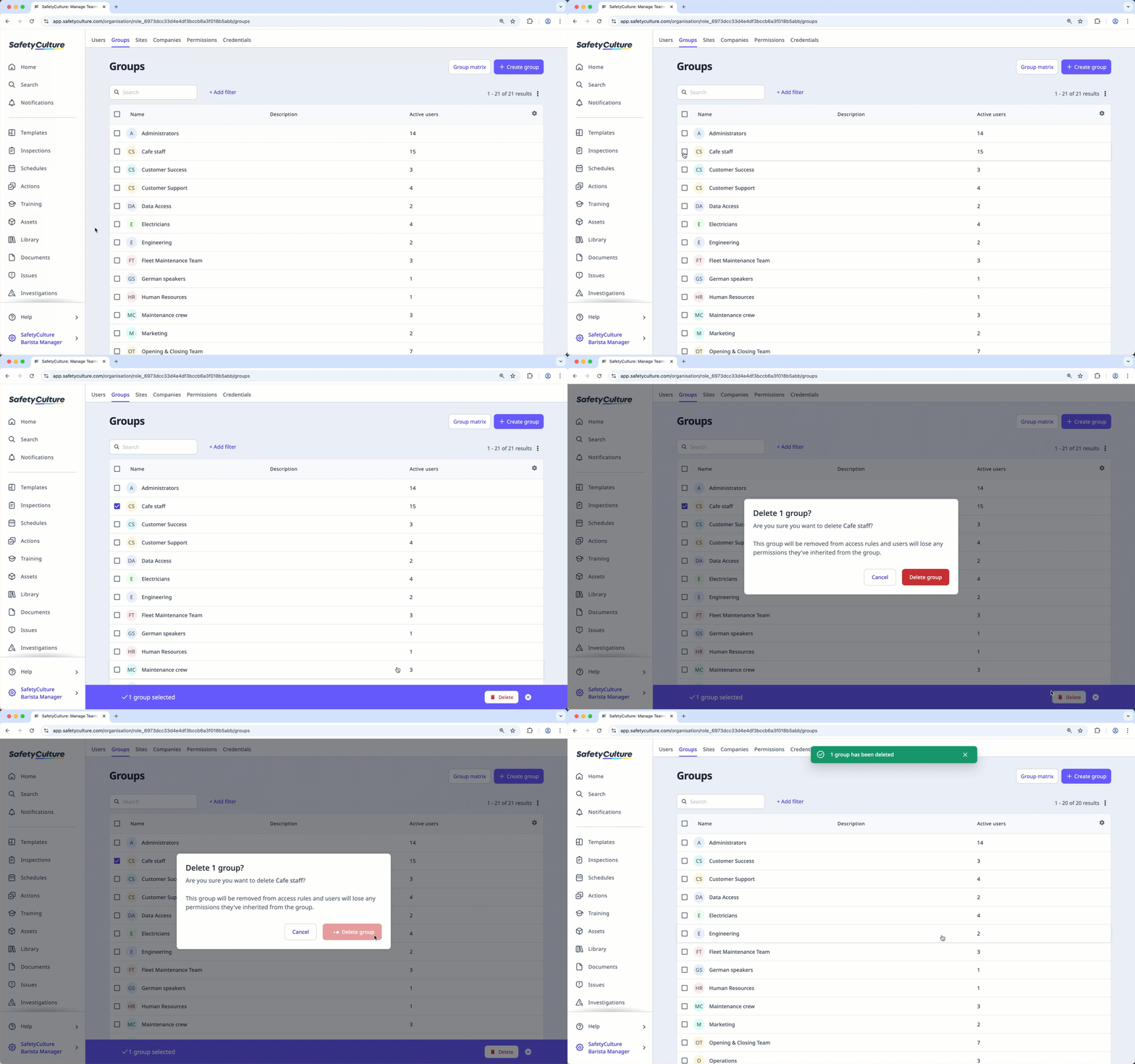
You can delete groups in bulk by selecting multiple groups at a time.